

Snippets
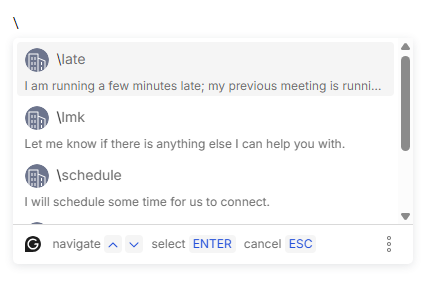
I accidentally discovered something with Grammarly tonight. I mistakenly typed a backslash (\), and Grammarly popped up this quick-fill menu. I didn’t know this was a feature.
I’ve always used Grammarly as a writing assistant: checking spelling and grammar, and occasionally suggesting rewrites for clarity. I will often argue with it. Meaning, I meant what I typed. Leave it.
These quick-fill shortcuts are called “Snippets”. Visit the Grammarly web app and go to your Account. There you’ll find Snippets. Mine came with a few presets, mostly for writing emails, I imagine.
- (\late) I am running a few minutes late; my previous meeting is running over.
- (\lmk) Let me know if there is anything else I can help you with.
- (\schedule) I will schedule some time for us to connect.
- (\share doc) Can you please provide me with access to this document?
- (\ty) Thank you for reaching out.
For this kind of shortcut, I use a browser plugin called “Text Blaze“. With it, I can not only quickly insert text but also include things like the current date and other programmable elements. “Snippets” looks similar, but it doesn’t include programmable elements.
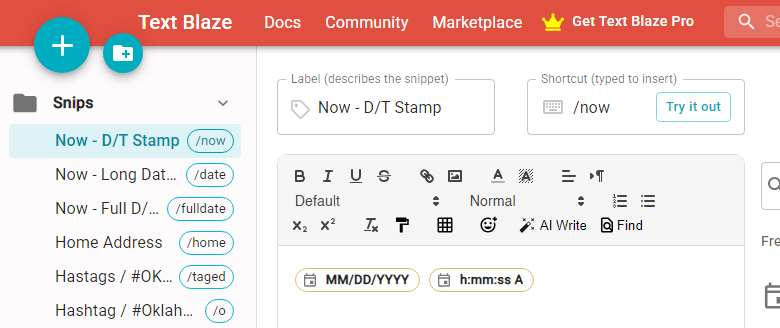
Although it’s interesting that Grammarly has this feature and I can see its usefulness, I think I’ll stick with Text Blaze.
Image: Photo by Alicia Christin Gerald on Unsplash